
Cursive Translator: English to Cursive & Cursive to Text
Cursive translator turns English into cursive you can copy, turns fancy cursive back into plain text, and reads photos of cursive handwriting as editable text. All three run in your browser.
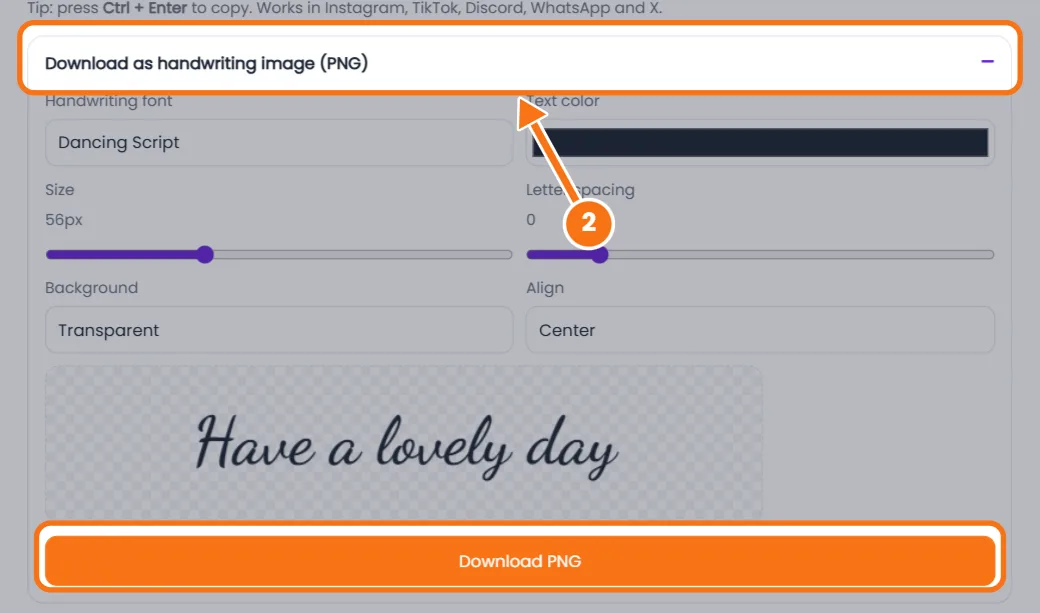
Download as handwriting image (PNG)
Recent conversions
How to Use Our Cursive Translator
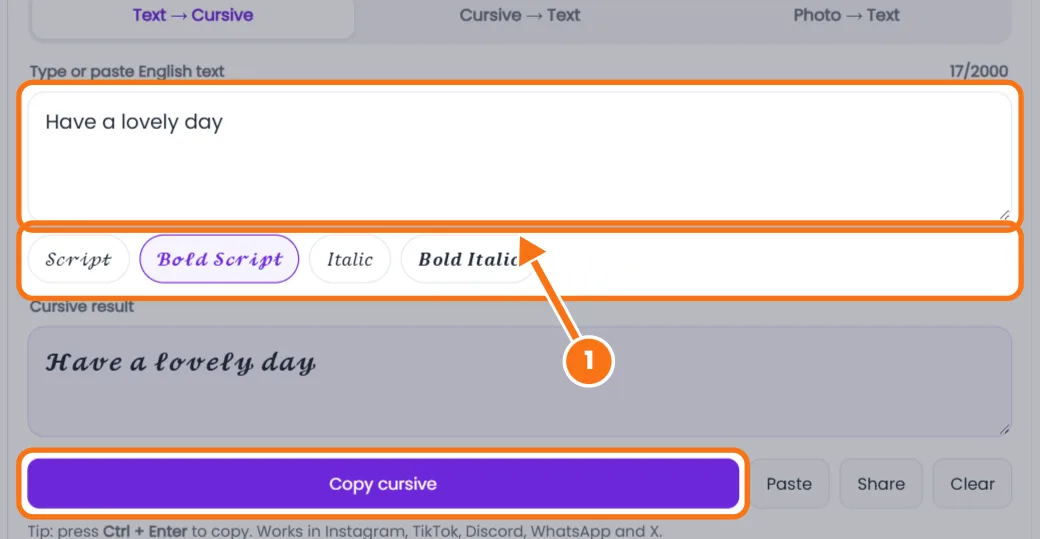
- English to cursive. Type up to 2,000 characters, pick Script, Bold Script, Italic or Bold Italic, then tap Copy cursive.
- Save as an image. Open Download as handwriting image, choose a font, color and size, and save a PNG.
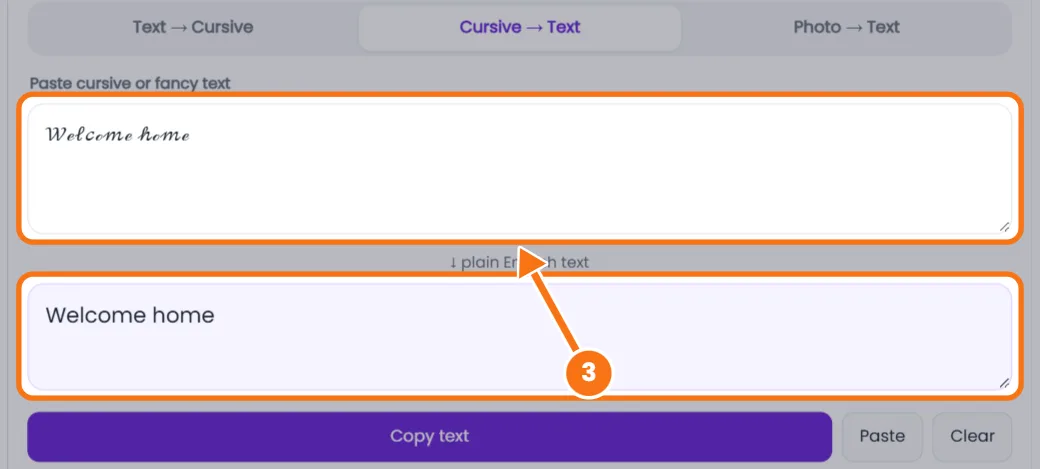
- Cursive to text. Paste fancy Unicode letters into the Cursive → Text tab to get plain A–Z.
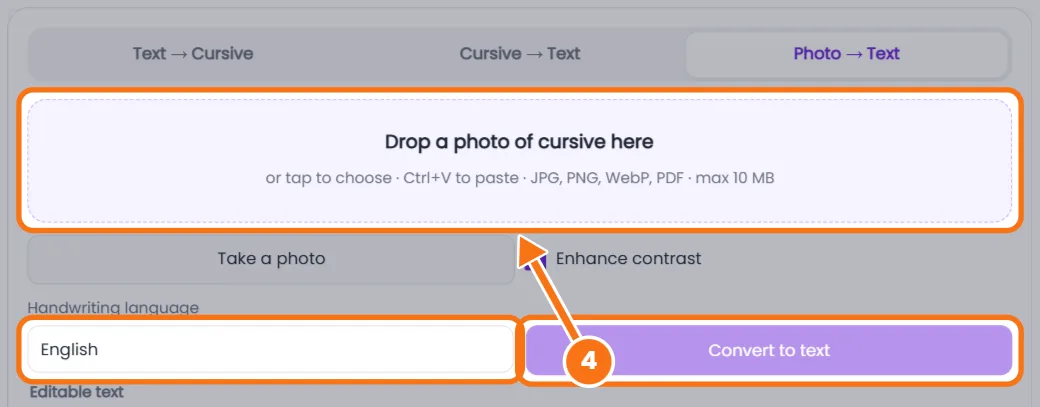
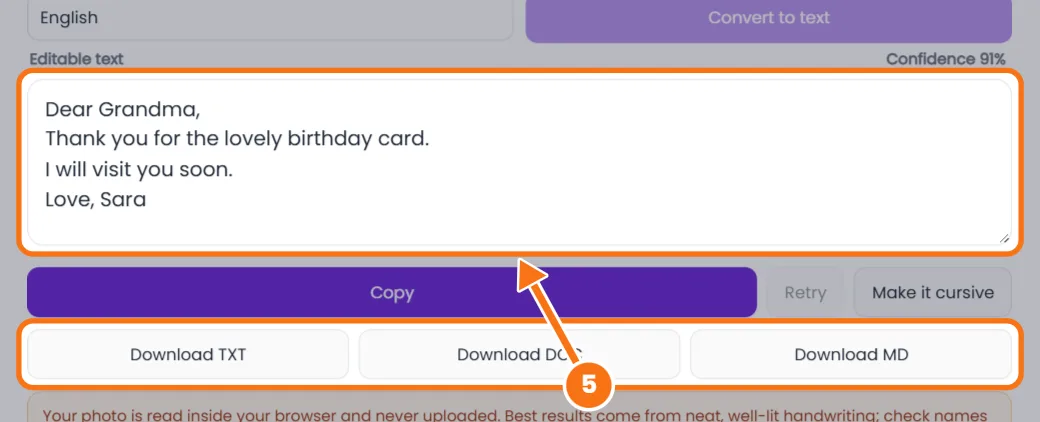
- Handwriting to text. Upload a JPG, PNG, WebP or PDF (up to 10 MB), pick the language and tap Convert to text. OCR reads it and shows a confidence score.
- Edit and export. Fix any words, then copy or download TXT, DOC or MD.
Related tools: Cursive text generator · Cursive letters A to Z
Cursive Translator FAQs
What does a cursive translator do?
It switches text between print and cursive: English to copyable cursive, cursive Unicode back to plain text, and photos of handwriting to editable text.
Can it read old cursive letters?
It reads neat modern cursive best. Old styles like Spencerian, copperplate or Kurrent and faded ink often need corrections, so check names and dates.
Which files and languages work?
JPG, PNG, WebP and PDF up to 10 MB, in English, French, German, Spanish, Italian, Portuguese or Dutch. Save iPhone HEIC photos as JPG first.
Are my photos uploaded?
No. Handwriting recognition runs in your browser, so photos and documents never leave your device.
Is the cursive translator free?
Yes, with no sign-up, no daily limit and no watermark.