
Cursive Writing Generator: Turn Typed Text Into Real Handwriting
Cursive writing generator turns typed text into handwriting on real-looking paper. Pick the handwriting, paper and pen, then download a multi-page PDF or PNG, or print it.
Your text never leaves your device. Pages are drawn in your browser, and handwriting fonts load from Google Fonts.
How to Use Our Cursive Writing Generator
- Add your text, up to 3,000 characters. Long text flows onto new pages automatically.
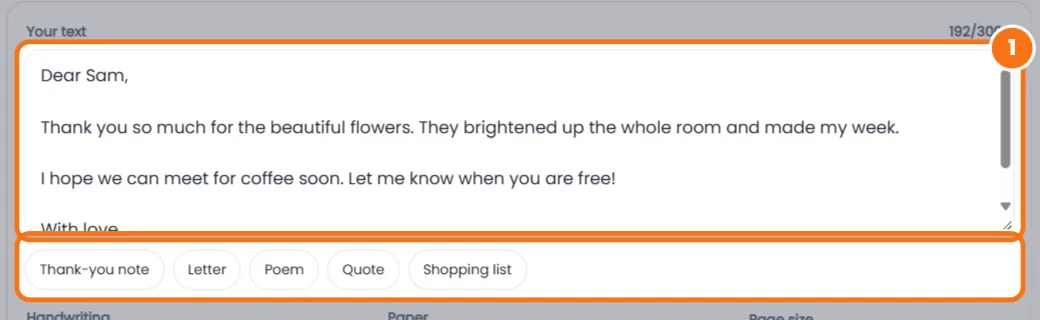
- Pick a handwriting, from Playwrite US Trad school cursive to everyday styles like Cedarville Cursive.

- Choose the paper: college ruled, wide ruled, legal pad, graph, old or blank, in A4 or US Letter.

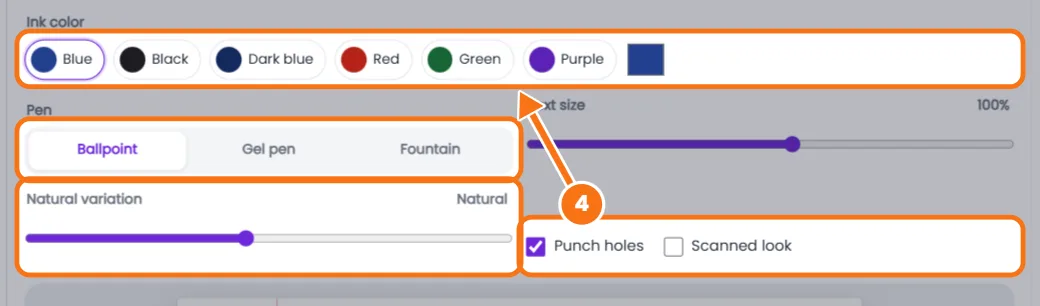
- Make it look real with ink color, Ballpoint, Gel or Fountain pen, Natural variation, punch holes and Scanned look.
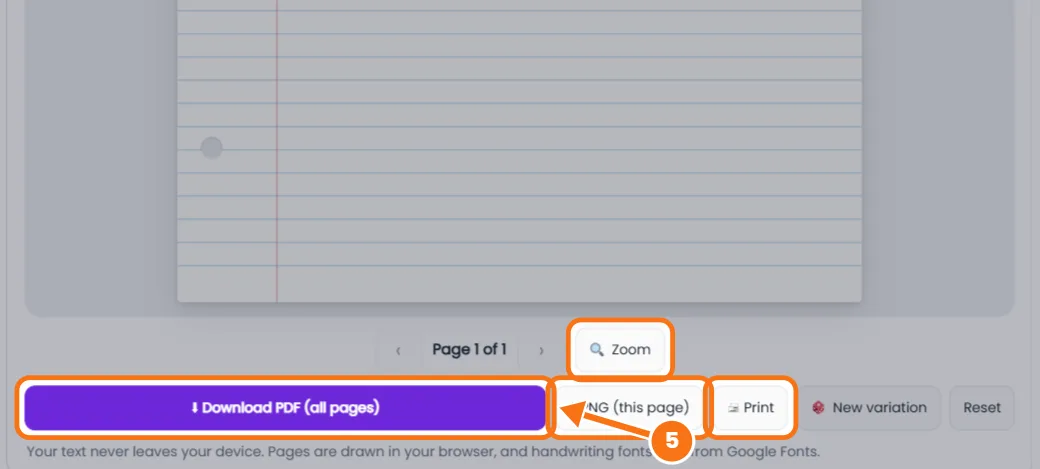
- Download a PDF of all pages, a PNG of one page, or print. Zoom helps on phones.
Related tools: Cursive letters A to Z · Cursive font generator
Cursive Writing Generator FAQs
How do I convert text to handwriting?
Paste your text, choose a handwriting and paper, and tap Download PDF or PNG.
How can I make it look more real?
Keep Natural variation near the middle, use Ballpoint or Fountain pen, and turn on Scanned look.
Which handwriting looks like school cursive?
Playwrite US Trad, based on traditional US school cursive with fully joined letters.
Can I use it for homework?
Use it for practice, examples, cards and projects. If a teacher asks for handwritten work, they usually mean written by you.
Is it free and private?
Yes. Pages are made in your browser and your text is never sent to our server.