Cursive Font Generator: Try Your Text in 70+ Script Fonts
Our cursive font generator previews your text in 70+ free script fonts at once. Change the size, color, spacing and slant, then download a transparent PNG or get the font itself.
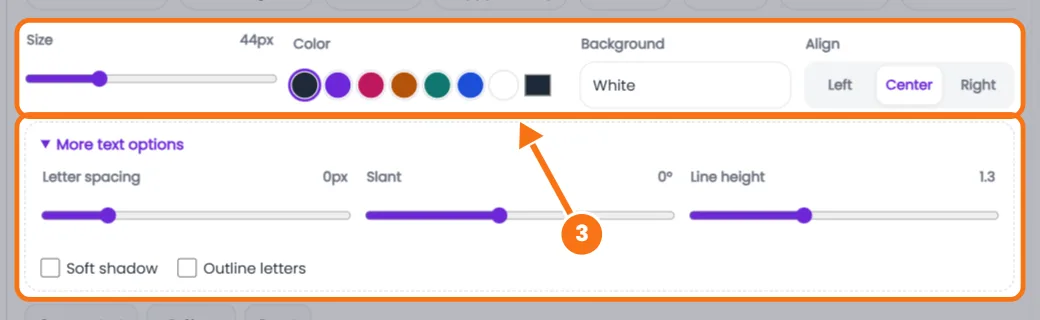
More text options
All fonts are free Google Fonts. The preview is drawn in your browser, so download a PNG to use the look anywhere, or tap Details to get the font itself.
How to Use the Cursive Font Generator
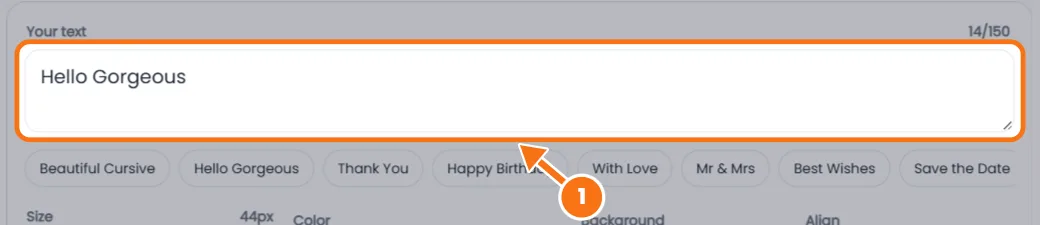
- Type your text (up to 150 characters, with line breaks).
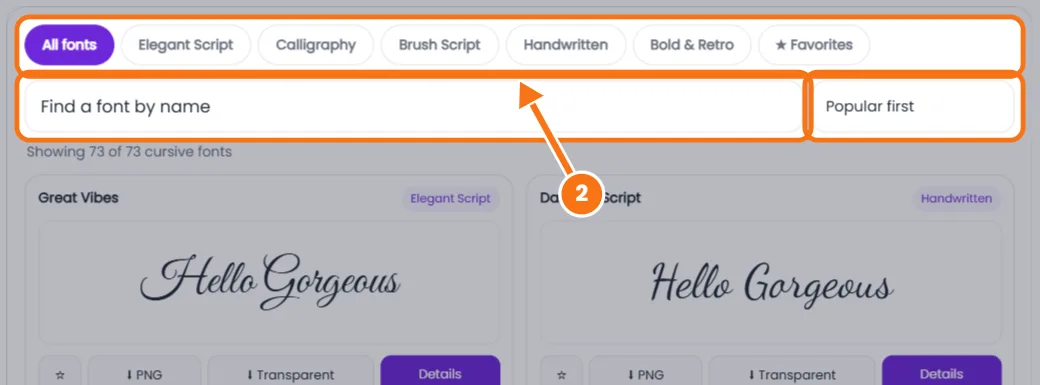
- Filter the fonts by Elegant Script, Calligraphy, Brush Script, Handwritten or Bold & Retro, search by name, or sort by Easiest to read.
- Style it with size, color, background and alignment. More text options adds letter spacing, slant, line height, shadow and outline.
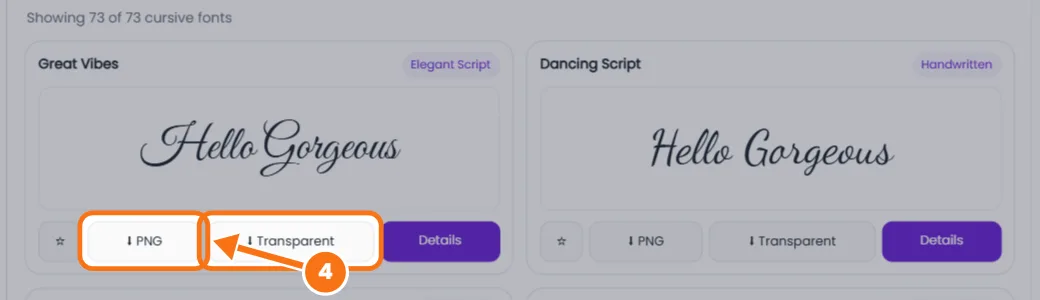
- Download a PNG or transparent PNG from any card. Details adds JPG and HD or Print quality.
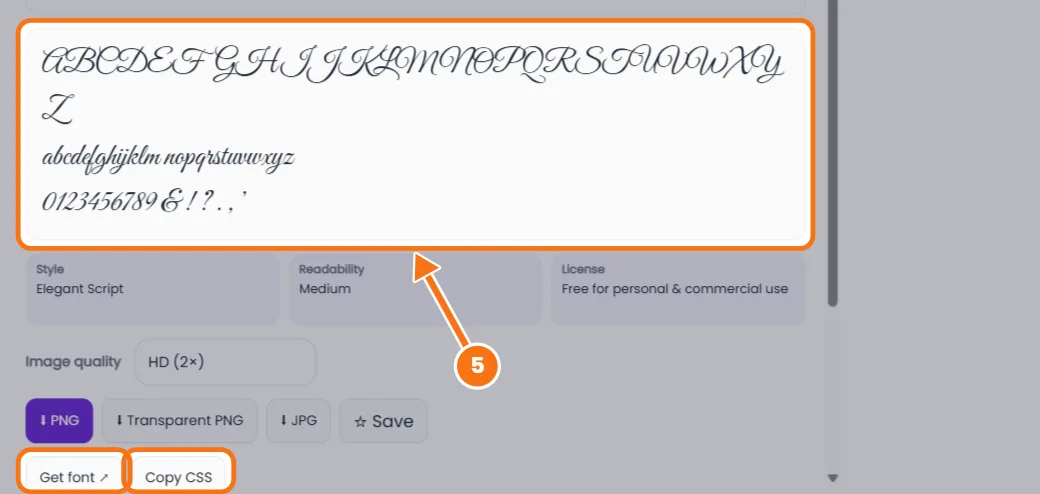
- Get the font. Details shows the full alphabet, a Google Fonts link and CSS code for your website.
Related tools: Cursive name generator · Cursive writing generator
Cursive Font Generator FAQs
Are these cursive fonts free for commercial use?
Yes. They're Google Fonts under the SIL Open Font License or Apache 2.0, so you can use them in logos and products. You can't sell the font file itself.
Why doesn't the font stay when I paste into Instagram?
Apps show text in their own font. Download your text as an image, or use Copy as text for Unicode letters that paste.
How do I get a transparent background?
Tap Transparent on any font card. The PNG has no background, so it sits cleanly on photos and Canva designs.
Which cursive font is easiest to read?
Sort by Easiest to read. Dancing Script, Pacifico and Kaushan Script stay clear at small sizes.
Can I use these fonts in Word or Cricut Design Space?
Yes. Tap Details, then Get font, download it from Google Fonts and install it on your computer.